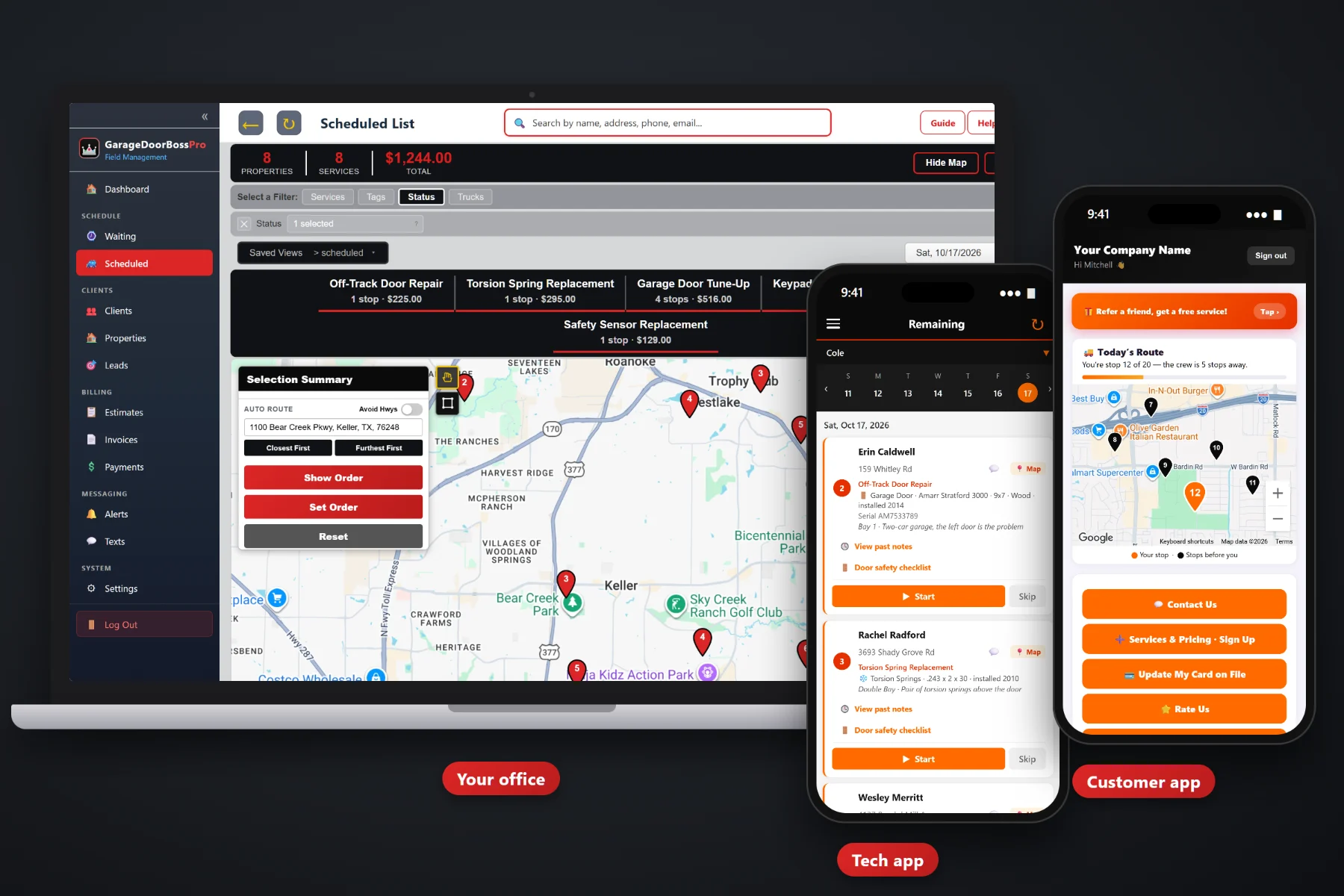
A garage door job is easy to bill when it is fresh: a service call, a pair of torsion springs, new rollers, maybe a keypad the homeowner asked about while the tech was there. A week later it is a crumpled ticket on the dashboard. GarageDoorBossPro builds the invoice from the job with parts and labor as their own lines and sales tax added, charges the card on file when the tech taps Complete, and lets customers pay online in the customer app. Property managers, HOAs and commercial accounts get one monthly statement covering every address.
Plans start at $59/month, and invoicing, card on file, online payment and monthly account statements are part of every plan. Billing is tied to the same jobs, estimates and customer records that run the rest of the day. To see how billing fits with dispatch, the tech app, equipment records and tune-up plans, start at GarageDoorBossPro and then come back here for the money side.
The approved estimate becomes the job, and the job becomes the invoice. Nobody retypes a spring replacement at night.
Springs, rollers, cables and labor each sit on their own line, from the service list you set up, with sales tax added.
Cards saved through the sign-up form or the customer app are ready when the work is done.
The tech taps Complete, the invoice is created and the card on file can be charged before the van backs out.
Charge on completion or on a schedule. Customers without a card pay online from the customer app.
Property managers, HOAs and commercial accounts set to Monthly get one statement, every line labeled with its address.
“Garage door repair — $640” starts an argument. A service call line, a spring replacement line, a rollers line and the sales tax underneath it ends one. GarageDoorBossPro builds the invoice from your own service list, so the prices are yours and every line says what was done.
Most small garage door companies do not have a billing department. They have an owner who invoices after dinner. GarageDoorBossPro moves billing to the moment the job is finished, so the night is for something else.
Add your service call, spring replacements, cables, rollers, opener installs, new doors, tune-ups and after-hours charges with your own prices and sales tax.
Estimates come from the same list. The customer approves online and the approved estimate becomes the scheduled job.
The invoice is created from the job, and the card on file can be charged right there in the driveway.
Customers without a card pay online in the customer app. Past-due invoices get follow-up, and monthly accounts get one statement.
The work is rarely the problem. The tech fixed the door. The trouble is everything after: the ticket, the tax, the bill, the chase.
Ask any garage door owner where the money goes and you will hear the same story: a paper ticket that said “springs + rollers” with no price, a Saturday emergency call that got billed like a Tuesday, a new door deposit nobody wrote down, and a property manager who wants one bill for nine addresses and got nine separate invoices instead.
Every one of those is money earned and not yet collected. When the invoice comes from the job and the card on file is charged at completion, the gap between fixing the door and getting paid closes.
GarageDoorBossPro keeps the estimate, the job, the invoice and the payment in one place, tied to the customer and the house.
Every tool here exists to shorten the time between a fixed door and money in the bank.
Completing a job creates its invoice from the work on that job. No retyping.
Service call, springs, cables, rollers, openers, labor: each on its own line from your service list.
Sales tax added on invoices, so the total the customer sees is the total they pay.
The approved estimate becomes the job, and the job becomes the invoice, so quote and bill agree.
Saved from the sign-up form or by the customer in the customer app.
The tech taps Complete and the card on file can be charged before leaving.
Charge automatically on completion or on a schedule you set.
Customers see their invoices in the customer app and pay them there.
Unpaid invoices get follow-up by text and email instead of awkward calls.
Emergency and after-hours charges go on the invoice as their own line items.
Yearly tune-ups come due on their own and get billed when the visit is done.
Monthly accounts get one statement each month, every line labeled with the address.
Billing reports alongside the rest of the business, so you know what came in.
Works in the US, Canada, Australia, New Zealand and the UK, billing customers in their own currency.
Office user roles let you decide who handles billing and payments.
Start $59, Pro $89 and Crew $199 per month, with invoicing on every plan.
A property manager with a dozen rentals, a townhome HOA with rows of single-bay garages, or a warehouse with rolling doors and a loading dock does not want a separate bill every time a van stops. Set the account to Monthly and GarageDoorBossPro sends one statement each month covering every address, with each line labeled so their bookkeeper can match the work to the building. For the full walkthrough of billing repairs, installs and tune-ups, read Garage Door Invoicing Software: The Complete Guide to Billing Repairs, Installs and Tune-Ups.
The customer app is where homeowners and account contacts see their invoices, pay them online and update the card on file. They also see today's route on a live map, request service, sign up for a yearly tune-up plan and choose their alerts. When the card on the account expires, the customer fixes it themselves instead of reading digits to the office over the phone.
Pick the plan that fits your operation. Every plan starts with a 14-day free trial and no credit card.
Compare plans on the pricing page.
From the job. When the tech taps Complete in the tech app, the invoice is created with the line items on that job, from your own service list, with sales tax added. If the job came from an approved estimate, the estimate lines carry onto the job and then onto the invoice.
Yes. Set up parts and labor as their own services if you want them shown separately, such as a torsion spring line and a labor line, or bundle them into one price per repair. The invoice shows whatever lines are on the job.
Cards are saved through your website sign-up form or by the customer in the customer app. The card can be charged when the tech completes the job, or auto-charged on a schedule. Customers without a card on file can pay the invoice online in the customer app.
There is no separate deposit feature. Many garage door companies bill the deposit as its own invoice or as a line item when the customer approves the new door, then invoice the balance when the install is complete.
Yes. Set the account to Monthly and they get one statement each month covering every address, with each line labeled with the address where the work was done.
Start is $59/month, Pro is $89/month, and Crew is $199/month. Invoicing, card on file, online payment and monthly statements are on every plan, and every plan starts with a 14-day free trial with no credit card.
Billing is one piece of how GarageDoorBossPro runs a garage door company. For dispatch, the tech app, equipment saved on the house, safety inspections and tune-up plans, see the full GarageDoorBossPro platform overview.
Practical reading on garage door invoices, line items and sales tax, card on file, charging at completion, auto-charge, online payment, declined cards, past-due follow-up, install deposits, tune-up plan billing, monthly statements and cash flow.
Invoices from the job, parts and labor on their own lines, sales tax added, the card on file charged at completion and one monthly statement for every account. Try GarageDoorBossPro free for 14 days.